
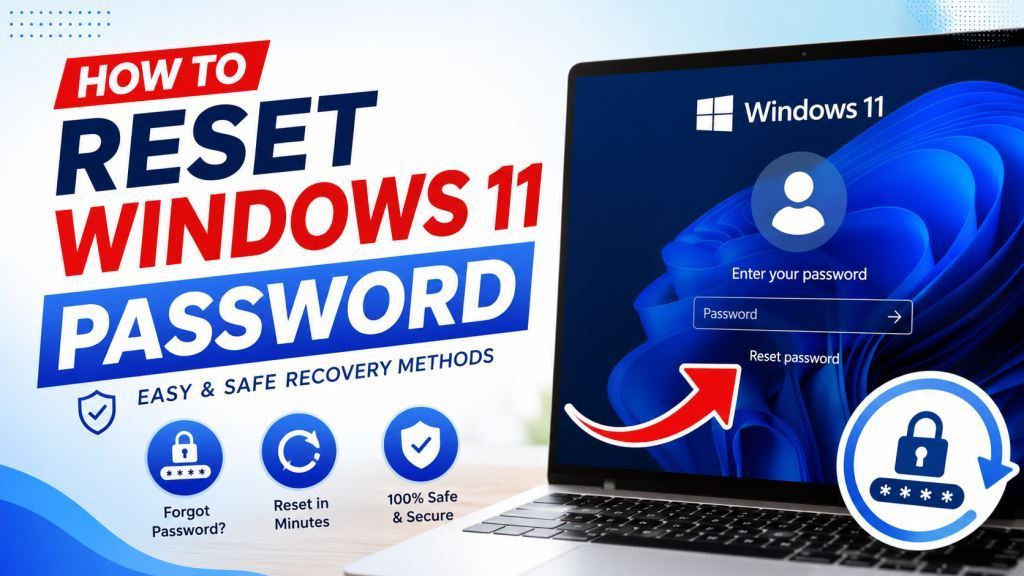
How to Reset Windows 11 Password: A Complete Step-by-Step Guide
Forgetting a Windows password is one of those small disasters that always seems to happen at the worst possible time — right before a big deadline, or the morning after you changed it “just to be safe.” The good news is that Microsoft has built several reliable ways to get back into your PC, whether you sign in with a Microsoft account, a local account, or a PIN you can no longer remember.
This guide walks through every realistic scenario: resetting a Microsoft account password from another device, recovering a local account password with security questions, using an administrator account to reset someone else’s password, and what to do if none of that works and you’re staring at a completely locked screen.
Why This Happens More Often Than You’d Think
Windows 11 encourages users to set up multiple sign-in options — passwords, PINs, Windows Hello facial recognition, fingerprint readers — which is great for convenience but means the actual password can go unused for months. Many people log in with a PIN every day and simply forget the underlying account password exists until Windows asks for it during an update, a new device setup, or a security check. If that’s you, you’re not alone, and it’s an easy fix.
Before You Start: Identify Your Account Type
The reset process depends entirely on whether you’re using a Microsoft account (an email-based account linked to Microsoft’s cloud services) or a local account (one that lives only on that specific PC and isn’t tied to an online profile).
A quick way to check: if you normally sign in with an email address or phone number, you have a Microsoft account. If you sign in with just a username and no email, it’s a local account.
Method 1: Reset a Microsoft Account Password
This is the most common scenario, and thankfully the easiest to resolve because Microsoft’s recovery system works from any internet-connected device, not just the locked PC.
Steps to Reset a Microsoft Account Password
- On the Windows 11 sign-in screen, click “I forgot my password” located just below the password field.
- If that option isn’t available, grab another phone, tablet, or computer and open a browser.
- Go to Microsoft’s official password reset page and enter the email, phone number, or Skype ID associated with your account.
- Choose how you’d like to verify your identity — email, SMS, or an authenticator app — and enter the security code you receive.
- Create a new password, confirm it, and return to your Windows 11 device.
- Sign in using your new password. It should sync automatically since it’s tied to your Microsoft account.
If you run into trouble at any stage, Microsoft’s own account recovery support page covers edge cases such as two-step verification issues or when the recovery email itself is inaccessible.
Important: Microsoft cannot bypass this process manually, even through customer support. The identity verification steps exist specifically to prevent unauthorized account access, so it’s worth keeping your recovery email and phone number up to date to avoid getting stuck.
Method 2: Reset a Local Account Password Using Security Questions
If you set up security questions when creating your local account (something Windows 11 prompts for by default), recovering access is quick and doesn’t require internet access.
- On the sign-in screen, type any password — it will be wrong, and that’s fine.
- Windows will show a “Reset password” link beneath the password field. Click it.
- Answer the three security questions you configured when the account was created.
- Enter and confirm a new password.
- Sign back in with your new credentials.
If you never set up security questions, this option won’t appear, and you’ll need to move to one of the methods below.
Method 3: Use Another Administrator Account
If there’s a second account on the PC with administrator privileges, it can reset the password for any other local account.
- Sign in using the administrator account.
- Open Settings > Accounts > Family & other users.
- Select the locked-out account and choose Change account type if needed, or go to Control Panel > User Accounts to reset the password directly.
- Set a new password for the affected account and confirm.
- Sign out and log back in with the new password on the original account.
This is often the fastest fix in households or offices where multiple people share a computer and at least one admin account remains accessible.
Method 4: Reset Using a Password Reset Disk (If You Created One in Advance)
Windows has long supported creating a password reset disk — a USB drive that lets you bypass a forgotten local account password entirely. This only works if you created it before losing access, so it’s more of a preventive measure than an emergency fix, but it’s worth knowing:
- Insert the reset USB drive at the sign-in screen.
- Click Reset password and follow the Password Reset Wizard.
- Set a new password when prompted.
If you don’t already have one of these drives, it’s a smart five-minute task to set up once you regain access to your account, so you’re covered next time.
Method 5: Completely Locked Out With No Recovery Options
If none of the above apply — no security questions, no second admin account, no reset disk, and no access to the Microsoft account recovery email or phone — options become more limited. At this point, Microsoft’s official guidance is that support staff cannot retrieve or bypass a forgotten password for security reasons, which means you’re left with two realistic paths:
- Reset your PC through the Windows Recovery Environment (accessible by holding Shift while clicking Restart from the sign-in screen, then navigating to Troubleshoot > Reset this PC). This can preserve your files if you choose the “Keep my files” option, though installed apps will be removed.
- Perform a clean installation of Windows 11 using a bootable USB drive, which erases everything on the drive and starts fresh.
Both are last-resort options, so it’s worth trying every recovery method above first.
How to Prevent This From Happening Again
A few small habits go a long way toward avoiding this headache entirely:
- Set up a Windows Hello PIN or biometric login alongside your password, so you have a backup sign-in method.
- Keep your Microsoft account’s recovery email and phone number current.
- Create a password reset USB drive if you use a local account.
- Consider using a reputable password manager to store and autofill complex passwords, reducing the chance you’ll forget one.
- Write down security question answers somewhere safe if you tend to forget them (avoid answers that are easy for others to guess, like a pet’s name posted on social media).
Frequently Asked Questions
Will resetting my password delete my files? No. Resetting a password — whether through Microsoft’s recovery page, security questions, or an admin account — does not touch your personal files, apps, or settings. Only a full PC reset or clean install affects your data, and even the “Reset this PC” option offers a “Keep my files” choice.
Can I reset a Microsoft account password from a different computer or phone? Yes. Since Microsoft account recovery happens online, you can complete the entire process from any device with a browser and internet connection, then simply sign in on your Windows 11 PC afterward.
What if I forgot the answers to my security questions? You’ll need to use an alternate administrator account, a password reset disk, or ultimately a PC reset. Unfortunately, Windows doesn’t offer a way to bypass security questions without one of those routes.
Is it safe to use third-party password recovery tools? Official Microsoft methods are always the safest first step. Third-party tools that claim to “unlock” or “bypass” Windows passwords can work in some cases, but they carry real risks — including malware, data loss, or voided warranties — so they should only be considered after exhausting Microsoft’s own recovery options.
Does changing my PIN also change my password? No, these are separate credentials. Changing your PIN only affects that device-specific sign-in method; your account password remains whatever it was until you reset it separately.
Frequently Asked Questions (FAQs);
Can I reset my Windows 11 password without losing files?
Yes. Most password reset methods do not affect your personal files. Only a full PC reset with the Remove everything option erases your data.
Can I reset a Microsoft account password from another device?
Yes. You can reset it using any phone, tablet, or computer with internet access.
Does changing my Microsoft password affect other devices?
Yes. The new password applies to all devices and Microsoft services that use the same account.
Can I bypass the Windows password?
No legitimate method exists to bypass a password on a protected Windows account without authorization. The safest and recommended approach is to use Microsoft’s official recovery methods.
Is Windows Hello PIN the same as my password?
No. Your PIN is stored locally on your device, while your Microsoft account password is used to authenticate your account across Microsoft services.
Final Thoughts
Getting locked out of Windows 11 feels alarming in the moment, but in the vast majority of cases, the fix takes less than ten minutes. Start with Microsoft’s official recovery page if you use a Microsoft account, try security questions or an admin account if you’re on a local account, and treat a full reset as the last option rather than the first. Once you’re back in, take a few minutes to set up a backup sign-in method — future you will be glad you did.
Forgetting your Windows 11 password can be frustrating, but Microsoft has made account recovery much easier than in previous versions of Windows. Whether you’re using a Microsoft account, a local account, or Windows Hello, there are several safe ways to regain access without compromising your data.
The best long-term strategy is prevention. Use a strong password, enable Windows Hello, keep your recovery information up to date, and consider using a trusted password manager. These simple steps can save you time and help protect your personal information.
For the most accurate and up-to-date guidance, always refer to Microsoft’s official support documentation when managing your Windows account and security settings.
Тут портале вы сможете почерпнуть интересную информацию.
https://sewlink.ru/
Safe wagering is a system that ensures participants to preserve mastery over their playing activity while acknowledging the associated dangers.
https://pr-realty.ru/estate/998-proshchanie-s-mikhailom-nozhkinym-trogatelnyy-moment-blagodarnogo-syna-u-groba/
Conscious gaming is a set of principles that encourages players to keep mastery over their betting decisions while identifying the likely pitfalls.
https://rosmet-nn.ru/full/charli-xcx-otkroet-mir-music-fashion-film-v-nezavisimykh-kinoteatrakh-do-ofitsialnogo-reliza-770/
Responsible gambling is a framework that aims for users to preserve oversight over their wagering actions while noticing the likely pitfalls.
https://homirussia.ru/cozy/867-zvuki-megapolisa-chto-byot-po-slukhu-gorozhan-i-kak-sokhranit-etot-khrupkiy-dar.html
Controlled play is a practice that ensures users to exercise balance over their wagering decisions while understanding the potential risks.
https://for-el.ru/doc/1048-pravovye-aspekty-onlayn-gemblinga-v-germanii-i-pozitsiya-superbet-casino-online.html
Prudent betting is a system that facilitates users to maintain control over their betting habits while acknowledging the potential risks.
https://vivatpersonal.ru/detail/2026-06-09-tretiy-den-pmef-2026-ot-krutyashchikhsya-loshadey-do-tikhikh-zumerov.html
Здесь портале есть возможность отыскать массу ценной сведений.
https://chenews.ru/chepub/637-teksler-razgonyaet-kreativnuyu-ekonomiku/
Conscious gaming is an approach that promotes participants to keep oversight over their gambling activity while acknowledging the inherent risks.
https://medium.com/@nomikex565/%D1%81%D0%BB%D0%BE%D1%82%D1%8B-%D0%BE%D1%82-%D0%BC%D0%B5%D1%85%D0%B0%D0%BD%D0%B8%D0%BA%D0%B8-%D0%B4%D0%BE-%D0%BC%D0%B0%D0%B3%D0%B8%D0%B8-%D1%87%D1%82%D0%BE-%D1%8F-%D0%BF%D0%BE%D0%BD%D1%8F%D0%BB-%D0%B7%D0%B0-%D0%B3%D0%BE%D0%B4%D1%8B-%D0%B8%D0%B3%D1%80%D1%8B-678257a6e374
Conscious gaming is a practice that promotes users to maintain discipline over their playing decisions while recognising the potential risks.
https://mpcclub.ru/item/2026-06-15-vliyanie-kriptovalyut-na-mir-onlayn-kazino-i-slotov-anonimnost-skorost-vyplat-i-novye-vozmozhnosti/
Prudent betting is a framework that facilitates users to retain oversight over their gambling engagement while noticing the attendant dangers.
https://www.chordie.com/forum/profile.php?id=2620381
Mindful gaming is a methodology that promotes participants to keep control over their playing actions while understanding the potential risks.
https://souzmultdesign.ru/culture/469-shest-chelovek-nakhodyatsya-v-tyazhyolom-sostoyanii-posle-seryoznogo-dtp-s-marshrutkoy-v-podmoskove.html
Prudent betting is a system that promotes players to preserve management over their betting activity while being aware of the attendant dangers.
https://bio.site/ivandogov2026
На нашем портале можно ознакомиться справочник публичной сведений.
Там содержатся контакты компаний и индивидуальных предпринимателей.
Эти сведения представляют собой публичными и могут востребованы в целях проверки реквизитов.
Сайт периодически пополняется, дабы вы всегда располагали достоверной базой.
https://orq.me/
Периодический техосмотр представляет собой необходимой практикой для сохранения безопасности транспортного средства.
Во время проверки обнаруживаются скрытые неисправности, которые могут привести ДТП на трассе.
Своевременное посещение ТО помогает избежать крупных вложений на дорогостоящий ремонт в будущем.
Помимо этого исправный транспорт обеспечивает безопасность водителя и пассажиров на движении.
Техосмотр такси
Здесь удастся просмотреть справочник достоверной материалов.
В нём размещены контакты предприятий и ИП.
Эти сведения являются публичными и способны использованы для уточнения контактов.
Сайт периодически обновляется, чтобы пользователь в любой момент располагали достоверной информацией.
https://orq.me/
Securing an easy personal loans is a highly convenient method to get the funds you need quickly and efficiently.
Thanks to a simple application procedure, you can apply from the comfort of your home and skip the stress of traditional paperwork.
Many online lenders offer:
* Flexible loan options
* Competitive interest rates
* Quick approval times
This makes it possible to receive funds in a short time. Opt for online lending for a simple, efficient, and reliable solution to cover emergency costs or upcoming purchases.
Только на 1вин казино https://qiwin.ru/ вы ощутите, что вращение это не просто случайность, а закономерность, подчиняющаяся законам вашей удачи.
Перед поездкой беру туристическую страховку и трансфер из аэропорта — уже пару раз спасало. Туры и допсервисы:
горящие туры
замена венцов новокузнецк
Имитация ПФ — это способ фиктивного повышения позиций в SERP.
Такая практика связана с имитацию поведения юзеров: переходы, глубину и период сессии.
Однако данные манипуляции способны спровоцировать блокировки поисковиков и снижение трафика.
В итоге рекомендуется делать упор на только разрешённые инструменты SEO.
накрутка пф накруткой поведенческих до первых мест
I’m tired
Операторы ставок считаются сертифицированные компании, которые предлагают спортивные прогнозы на спортивные турниры.
Основная роль букмекера — сформировать коэффициенты на каждое исходы игры, показывающие прогноз конкретного исхода.
Останавливаясь на платформы рекомендуется обращать внимание на существование регуляторного документа, репутацию и комфорт интерфейса.
Проверенный контора предоставляет честные расчёты, большую роспись и мгновенную обратную связь игроков.
https://www.openlearning.com/u/muttjaan-tdw4ci/
Hej,
MP3 source for DJ’s and music addicts. You get FTP access – https://scenedance.blogspot.com
Full access to 276 TB music library, files are available every time – https://0daymusic.org
No ads – no waiting time – very fast download speed, ~400 daily 0DAY scene releases BEATPORT, traxsource,
fresh FLAC section , tracks unique section for the top downloaded albums 26 years music archives.
DJ producer applications full labels, music videos, albums files Sorted section by date and style, livesets etc..
Dallas
blog
https://recodecommerce.com/contact
Prefer email? Reach us at info@recodecommerce.com
This is a comprehensive digital PDF guide created to help parents and guardians confidently discuss sex education with their children in a responsible, age-appropriate, and supportive manner.
https://oraclefx.org/Parents-Guide-To-Sex-Education/Sales-page.html#aff=AD64HE358F
Good luck 🙂
Together with my good friend and fellow off-gridder Ron Melchiore, we’ve created what may very well be the most comprehensive, step-by-step system to transform YOU from an honest homeowner into a self-sufficient person that has an extra income and doesn’t owe anybody a thing.
It’s called:
The Self-Sufficient Backyard
https://independentbackyard.com/my-book/#aff=AD64HE358F
Good luck 🙂
Looking for a reliable IT partner?
We provide website development, automation tools, and smart integrations.
Come to us now:
]
#gpt_question_subjectModern IT solutions for your business ] d6579df
Hey, this is super awesome!! Thanks for this info! Speaking of which, be sure to check out beard care guides when you can! Have a nice day!
Amazing to see just how quickly artificial intelligence is evolving lately. According to news coverage found via aol News, researchers are making significant progress regarding next-generation space telescopes. What are your thoughts on these advancements? Are you optimistic for the future? See on https://mota.com
Здесь портале вы сможете почерпнуть полезную информацию.
https://1-mk.ru/detail/464-the-history-and-evolution-of-beepbeep-casino/
Тут веб-сайте можно получить нужную информацию.
https://dvery35.ru/article/4371-mobilnyy-opyt-v-randx-casino-kak-igrat-so-smartfona.html
На данном веб-сайте удастся найти полезную информацию.
https://n5.sneakero.ru/gQ9CxreA8uk2/
На этом самом интернет-портале легко получить большое количество актуальных знаний.
https://growth.modavgorode.ru/27VscjpqeLdD/
На этом ресурсе легко найти огромное количество нужных данных.
https://relax-spb.ru/read-info/3265-posledniy-shans-kto-obyazan-vnesti-nalog-do-kontsa-dnya.html
На данном сайте есть возможность получить много интересных материалов.
https://a3.gucci1.ru/WC31suYJDpoM/
На представленном онлайн-ресурсе легко найти достаточно ценной информации.
https://joker.sofiamoda.ru/oCKCXTksJ1Vz/
На этом же веб-сайте удастся отыскать огромное количество интересных материалов.
https://bookmarks.sochidaily.ru/TW3DClT22x9c/
На нашем онлайн-ресурсе легко получить большое количество важных материалов.
https://n1.vladtoday.ru/cmqSsBTa8ivr/